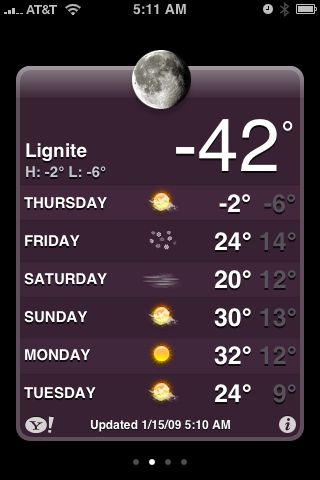
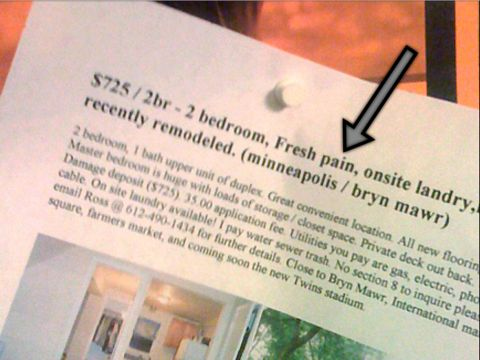
“Fresh pain”?
Finished the book for my book club! Meeting is tomorrow, just in time. Now I can catch up on everything I haven’t been doing while reading.
Alocola Brings Location Info to the Web

My buddy Dan Grigsby has just launched his first iPhone application. The application fills an interesting gap, it allows a web site to get the location information from the iPhone. Sure, iPhone applications can do this with the iPhone SDK, but if you are a plain old web site or web application (and yes, there is still a place for them), Alocola will allow you to get that information via the web. Alocola is a helper application that Safari launches and then it just gets the location info and returns it back to the requesting website. Slick! Great idea.
All the cooler, Dan will be making the source code available under GPL2.
The next Minnedemo is now scheduled for February 6, 2009 at 7:00pm. It is free (as always), but registration is required so go there and get signed up. There are about 260 open tickets left at this point.

Even though it is free that doesn’t mean you can leave your wallet at home. Intermedia Arts is the host for Minnedemo and they have fallen on some difficult times. There will be an opportunity to donate Intermedia Arts (read more about them) and I think the Minnedemo/Minnebar community should show its support with some donations.
I really enjoyed the last Minnedemo (at the same venue). It is a great chance to connect with a great group of local developers, entrepreneurs and a wide variety of other people – each of them very interesting!
Hope to see you there!
Update (January 25th)
I didn’t do a good enough job looking through my calendar. It turns out we are going to be heading out of town on the morning on February 6th for a ski weekend up north. I’m going to miss this Minnedemo. Bummer. Hope everyone else has a great time!
January 20, 2009.



I use OpenDNS, and you should too!

A few months ago I switched my home network to using OpenDNS for domain name lookups. Prior to that I had typically ran my own DNS server on my home LAN. This was a near requirement for me because I hosted some of my sites at my house and I needed to resolve them to private addresses when on the home LAN, blah. It was annoying. I no longer do that, and no longer need to run my own DNS, and good riddance.
Note, if you don’t know what DNS is, or what name resolution is, you can probably stop reading now. ;-) If you are interested to learn more the DNS page on Wikipedia will get you started. Read it and then proceed. DNS is to the Internet like legs shoes are to walking.
I relied for a bit on Comcast’s DNS servers and they were fine but they didn’t give me any added value. I poked around and found OpenDNS and it looked really promising. I posted on Twitter about it and found a handful of friends of mine that are technical rockstars and had been happily using it for a long time. I guess I was slow to the party.
Anyway, after using OpenDNS for a while now I strongly endorse it. I would go so far as to suggest that anyone with the option of flipping DNS providers should switch to it. Some reasons.
Content Filtering
When you start using OpenDNS you create an account and you can manage how DNS requests should be handled. OpenDNS has a whole set of content filtering options and everyone should ask it to filter Phishing sites. Phishing sites have gotten incredibly good, and I love the fact that OpenDNS will simply not allow a computer on my network to go to a site marked as a phishing site. This alone is worth the switch.
The options are numerous for filtering. You can be as strict or open as you like. I think this is a great place to implement this sort of policy on a home network. No software to maintain, it just works and keeps working. This is how parental controls and basic Internet safety should be done.
Statistics
OpenDNS makes it really easy to get information on DNS requests. You can get a cool graph like this.
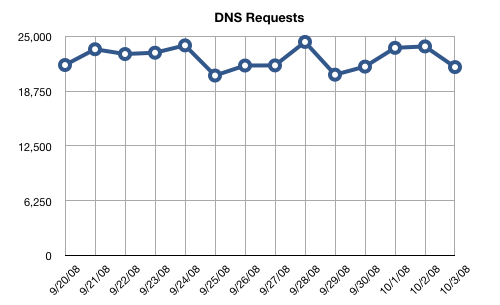
Okay, that is cool because it is a graph and all graphs are cool. But it is also useful. Let’s say that you got a virus or spambot on one of your computers. You would possibly notice a large spike in the number of DNS requests being issued. Sudden and large changes in that graph indicate something unusual is going on somewhere.
Other Stuff
To me this is enough to justify the switch to a wonderful free service. There are some other things that it does that may be cool. It allows you to great shortcuts, so in my house if you type “thing” into a browser it will turn that into “thingelstad.com” or “goog” into “www.google.com”. Firefox can do that too, but having it at the DNS level is nifty since it works everywhere (iPhone, Wii).
It’s free, you just create an account and change your router to start using the OpenDNS servers!
Bamboo Hardwood Floors Installed in Bedroom
Our house was a complete disaster zone this week. We’ve had a number of projects done recently and are about midway through the list. Countertops. Paint. This week we converted our bedroom from carpet to a new hardwood floor.
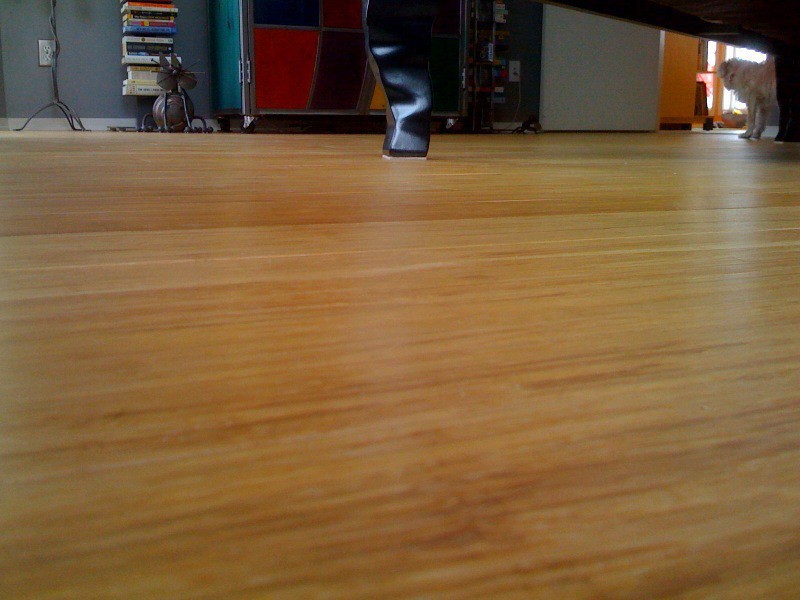
We went to Natural Built Home to look at some different options they had. Our house had some existing hardwood floors that were all maple. We weren’t able to find an exact match to those floors that met the environmental criteria that we desired. We started looking more into bamboo as an option. Bamboo is a very strong product, and has the great benefit of re-growing in 6 years, rather than 60 or more years.
We really like the look of the floor. I’m still getting used to walking on it. It seems my mind still thinks I should be walking on carpet in that room. In a couple weeks my office will also be converted from carpet to bamboo as well. That is something I’ve wanted to do ever since we bought the house.
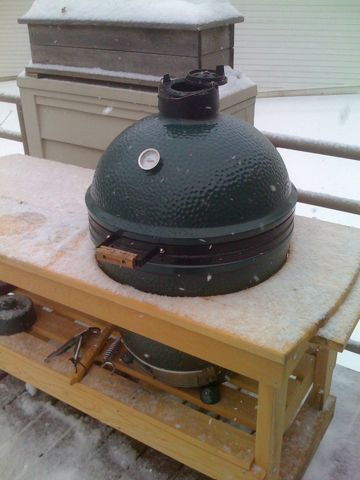
We’ve been enjoying the reprieve from -20 °F to 20 °F with some great winter grilling on the Big Green Egg. Tonight is a chicken on the vertical roaster.
Mazie has always had her Lions since she was a little baby. Yesterday our neighbors gave her this great Lion sweater. She’s loving it!

Fluid Love for Mint ← I’m really enjoying using Mint for stats on thingelstad.com, and I’m a fan of Fluid.
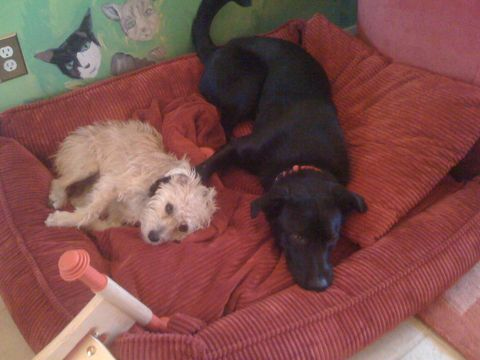
Chase and Izzy chilling out on their bed.
Celebrating the “heat wave” with some pork chops on the Big Green Egg!
Where are the best photography spots in Minneapolis?
I would really like to get out and do some fun shooting but would love to find some new spots that have a lot of interesting stuff going on. The Stone Arch bridge is obvious, something a little less obvious. I was thinking that the Midtown Global Market would be a fun place, but it’s inside and fairly dark. Would need a really fast lens, but could get some cool shots.
Anyone want to share some favorite places for photography? If your interested in a photowalk, let me know!
Doesn’t it seem ridiculous that my Apple TV’s can sync with iTunes over the network, but my iPhone on the very same network cannot.
It’s just wrong.
Mazie getting ready for brunch at Butter.

iTunes Tip: Using a "No Playlist" Playlist
I have all of my music in iTunes and it is my central hub for distributing nearly all content to various iPods, iPhones and Apple TV’s throughout the house and on-the-go. In my iTunes library, as of right now, I have 18,439 items totaling over 65 days of continuous music without any repeats. The only way to get the most out of a really large music collection is to leverage Smart Playlists extensively, and I do.
I have dozens of Smart Playlists to listen to all kinds of slices of my music archive. Creating these Smart Playlists involves setting the criteria of what I want in the playlist, but also, what I don’t want in the playlist. For example, unless the playlist is for Mazie’s enjoyment, I don’t want any Children’s Music in it. Similarly, unless the playlist is for the holidays, I don’t want Christmas music popping up. Sure, it’s a 5-star Christmas song, but that doesn’t mean I want to hear it in my 5-star Smart Playlist in July.
So, I started by having a lot of repeated rules in my Smart Playlists and having to update dozens of things anytime some of my criteria changed. After dealing with that, I figured out a way to be a lot smarter about my Smart Playlists. Use a Smart Playlist to remove the stuff you don’t want in other Smart Playlists.
“No Playlist” Playlist
To do this you first need to create your No Playlist Playlist. This could be called a “blacklist” of songs, but that seems more like unchecking songs. This is more a greylist of songs you only want to hear when you are specifically looking to hear them, regardless of their other qualities. Just create a Smart Playlist and make sure to change the match criteria to “any” or you will likely not have any matches. Also, it’s a good idea to uncheck the “Match only checked items” checkbox. If you don’t, and have other Smart Playlists that don’t check that, you will let some stuff through.
I have mine setup like this:
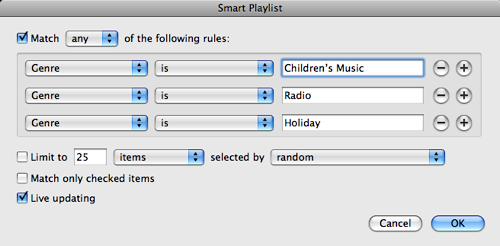
This creates my No Playlist Playlist with all Children’s Music, Radio content (archived episodes of This American Life mostly) and Holiday music. I’ve now got a good list. So, next I take my Smart Playlist of “Music from the ‘80’s”. Clearly I want all my great high school favorites, but I don’t want Mazie’s Red Grammer album showing up in there, or any other stuff from my No Playlist Playlist. So a simple rule as follows will keep it right (see the last criteria).
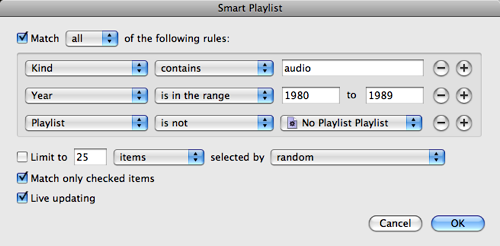
Now, the reason this is great is that I’ve now abstracted that rule into another set of conditions. So, if I forget one, like Comedy, that should be excluded from dozens of playlist I can simply change my No Playlist Playlist and it’s all better. I could even get funky with this and exclude tracks that were played within the last day or so, forcing rotation through other playlists without doing the work in each and every Smart Playlist.
Cool, huh?
Freedom of American Coffee Enjoyment Resolution
I suggest that congress work on enacting the following legislation:
Whereas many residents of the United States seek the pleasure of a coffee-based beverage, including many variations thereof, and that these beverages should be preserved for future enjoyment;
Whereas it is understood that espresso is a drink, and is not simply an ingredient to be added with milk or chocolate;
Whereas the history of coffee, and the native basis of coffee shall be understood;
-
Resolved by the House of Representatives (the Senate concurring), That the United States Government should pursue policies that
-
(1) mandate that all coffee shops shall have available the appropriate serving containers for a pure espresso beverage;
-
(2) espresso shall be served in a thick-walled, pre-heated porcelain cup not to exceed 2 ounces in capacity; and
-
(3) all coffee shops shall have monthly certification tests for all employees requiring the creation of a shot of espresso with robust crema that will last at least 60 seconds undisturbed.
-