
A cloudy day is natures giant soft-box. — Layne Kennedy
I Am Here: One Man’s Experiment With the Location-Aware Lifestyle ← I’ve done some playing with location-aware applications, mostly Brightkite, and this article rang true to some of the thoughts and challenges I had with them as well. Location-awareness brings a new dimension to the web, but it will take some time to figure out how to do it right. His example of how easily he was able to find out where a woman he saw taking pictures in the park lived is an eye opener.
Found via GrumbleDroid by Tim Bray.
Thermapen, Grill Like a Pro
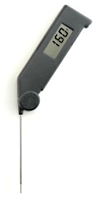
A few months ago my neighbor Mike and I decided to put my Big Green Egg through it’s first real trial with a 12-hour brisket session. Mike is a stellar cook on all counts and I wanted to learn anything I could about grilling. As we were working the brisket through the hours we probed this large hunk of meat for temperature dozens of times, in dozens of locations. I’ve always had temperature probes and such, but Mike was using one of these high-end instant read digital thermometers and I realized this was a must for grilling.
I decided to be patient and put a Thermapen on my wish list for Christmas. Now that I’ve used it a few times I feel like every grill owner should just get one of these with their grill. Why?
First, a large piece of meat is going to have several different temperatures throughout the cut. The Thermapen is fast enough that you can take several readings and get “x-ray vision” into the meat. Before you even slice it, you know where the cut will be more rare and more well.
Secondly, when you are grilling at really high temperatures the grill itself gets so hot that it’s really hard to hold a probe in place for 10-20+ seconds waiting for a reading. Yes, you can put a big huge glove on but that takes a lot of time and results in fewer temperature checks. The Thermapen is so fast that you just probe it, read, and remove. 2-3 seconds tops.
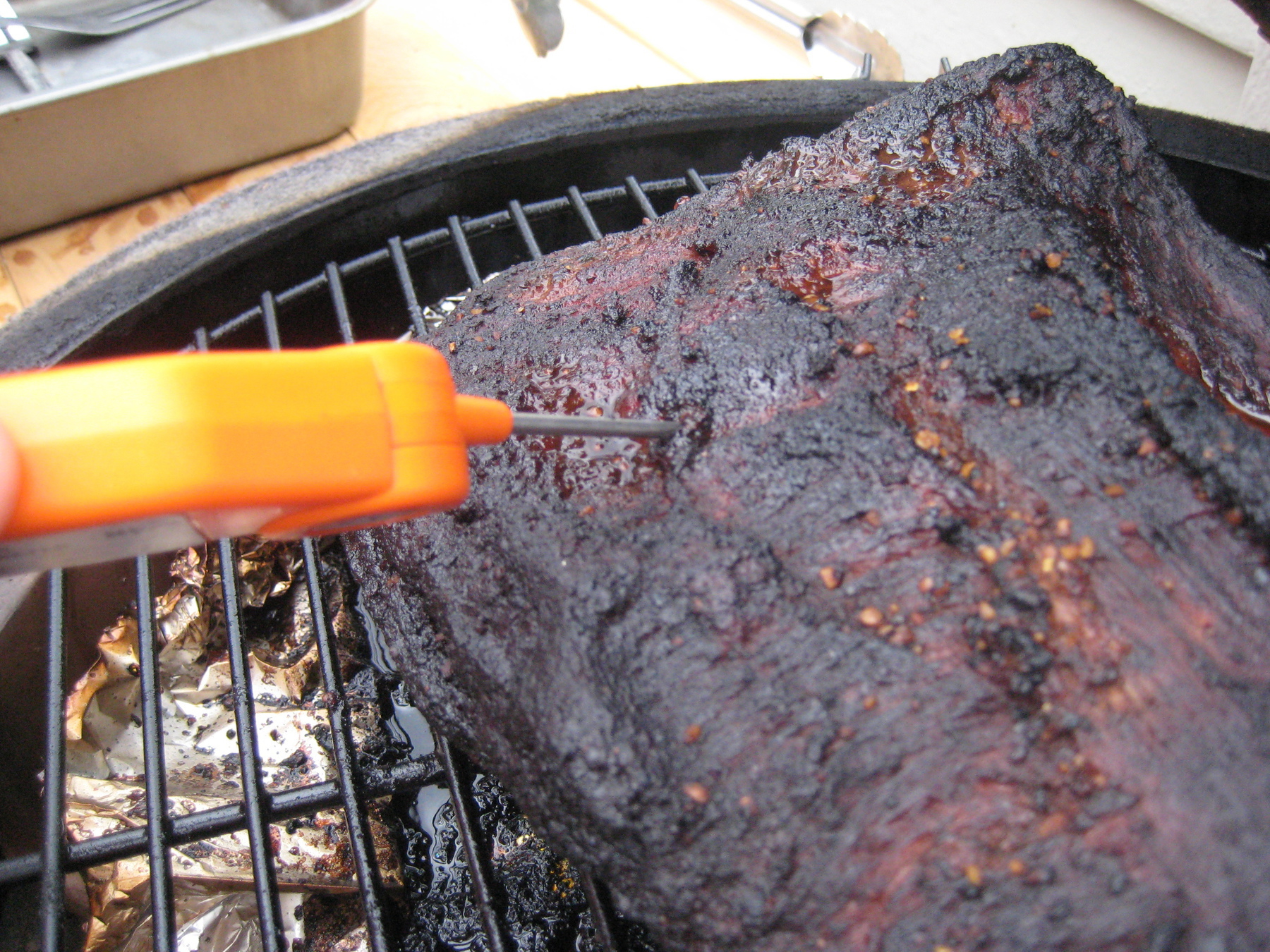
If you love to grill, get a Thermapen. It gives you a lot more confidence on the grill. You can stop overcooking to be cautious. And since you can take a temperature so fast you can temp every single item on the grill before it comes off. Each and every cut can be just perfect.
Kopplin's Coffee

I’ve been doing plenty of complaining lately about coffee shops that are so inept that they cannot serve a passable shot of espresso. Note, I’m not complaining about the use of an automated espresso machine. I use an automated machine at home. I’m not that high maintenance. No, I’m vocal about putting 1 to 2 ounces of espresso in a 16 ounce paper cup. Or not even knowing what it is to just order an espresso. I recently suggested legislation to remedy this and Peter Vader commented about Kopplin’s Coffee and suggested I should try it.
With this sturdy recommendation I asked my neighbor and coffee connoisseur Mike if he wanted to join me and drive over there, about 30 minutes one way, to give this place a try. Obviously I’m not going to make a habit of driving 30 minutes to get a coffee, but if it really was special I thought it would be fun to try.
Kopplin’s is totally unassuming. It seemed like a simple, notably small, coffee shop with a few laptops open and a couple of people chatting at tables. The guy behind the counter was the owner, Andrew Kopplin, although I didn’t know that until I looked at the newspaper clipping on the wall with his picture in it. The first thing I noticed at Kopplin’s were the two Clover machines on the counter.
I knew a little about the Clover from a thread that had spread around the Internet a while back. Mainly, I knew they were $11,000 coffee machines. Not espresso machines, but single batch brewed coffee. Check out this video of the Clover in action to see what this is all about. There was a very big hubbub when Starbucks bought them in a desperate grasp for authenticity and coffee that tastes less horrible. To be clear, I’m no fan of brew, but I had to give this a try. We ordered a 16 ounce pot of the Guatemalan and gave it a try.
It was really good coffee. Extremely smooth. But, it was still brew. I enjoyed it, but the taste wasn’t what I like. For those that love brew, the Clover is probably a gift from the heavens. For me, the $11,000 is lost.
Onto the real reason for the trip, to give their espresso a go. In short, it’s about the best espresso that I’ve gotten in a coffee shop in town. It is incredibly deep with a very thick crema. The service is perfect, in an appropriately sized ceramic cup that has been preheated for a while on the top of the espresso machine. Kapplin’s seems to do a very fine grind, and the resulting espresso just drips into the glass.
We chatted with Kopplin himself for a little bit and he’s a really cool guy. Very nice, obviously knows his stuff. I give him huge respect for being in his mid-20’s and opening up his own place and making that all happen. And on top of making great coffee he is sourcing local ingredients, and even using milk from grass fed cows in his drinks! I don’t think you can go wrong with a trip to Kopplin’s.
Kopplin’s was named Best Barista by City Pages, listed as Ultimate Brew in Twin Cities Business and has great reviews on Yelp.
And last but not least, I really dig the logo.
DirecTV Canceled
A couple of weeks ago I finally pulled the plug on DirecTV! I wrote about the comparison I did between DirecTV and iTunes before, and we decided to jump ship on satellite television. I’ve rewired the cables in the house so the three televisions we have now get over-the-air (OTA) channels with their internal ATSC tuners and the ChannelMaster 4221 antennae on the roof. Each TV has had an Apple TV on it for a while, now with their expanded 250 GB hard drives.

Canceling
I’ve been a customer of DirecTV for 10 years so they tried really hard to save me. If you are looking to save a little money and are a customer, call up and they will likely give you a discounted rate as well as freebies for the next 12 months. They offered the kitchen sink to keep me around. Unfortunately for them my issue wasn’t just cost, but the technical inferiority of their solutions. The lure of synchronized content, no more IR repeaters, etc. was a lot more than just the cost savings.
While canceling though I got a little surprise, an early-termination fee.
How to make your customers unhappy
This summer we were getting hounded by DirecTV. They were robo-calling pretty much every day regarding our equipment, apparently it needed an upgrade. We had original TiVO DirecTV units and they were the MPEG-2 machines. I knew DirecTV was moving to MPEG-4, but also knew that was the end of the TiVo I so liked so I put it off. Finally I got back to them and they told me that I had a mandatory, and free, upgrade coming to move to MPEG-4 and relinquish the TiVo units I had.
I finally agreed, but knowing I was considering canceling in the future, I asked and made sure that this would not extend my term. I was told it wouldn’t, and the upgrade was free, so fine. This turned out to be wrong.
For all of DirecTV’s fawning over me for being a customer of 10 years I was all of a sudden a brand new customer that they had to recoup equipment costs out of. In the end, I ended up having to pay hundreds of dollars in early cancellation fees just to get rid of this equipment that was supposed to be free, and wasn’t supposed to extend my term. It was a very frustrating experience.
Perhaps most frustrating of all was when I asked to escalate this matter to a manager. The person on the phone said they had raised the issue and I should hear back soon. I waited, and after a week and not hearing I called back. They then informed me the escalation had occurred and been denied. I was confused since I never spoke to anyone. It turns out you cannot speak to them. Escalation is a black box that the customer has no visibility into. I handed them over their fees and bid them farewell.
Related: Read Steve Borsch's cancelation story as well.
Hello Television
We now have two venues to get television content. Watch it just like people have for decades over-the-air with the ATSC tuner or get it via iTunes. So far we do watch less TV because we no longer have a buffet to graze on, but I tend to think that is a good thing, not a bad thing.
I like 1 minute cause it’s just like an hour. — Mazie
Going to Red Stag Supperclub with Tammy because Andrew Eklund talks about it all the time. Must be good! Ordering a Surly Furious. 🙂
At the pharmacy again. Feel like this is happening more in recent years. Getting old?
How Shift Lenses Change your Life ← I haven’t played with a tilt-shift lens before, but seeing some of the cool things you can do with one it makes me want to play.