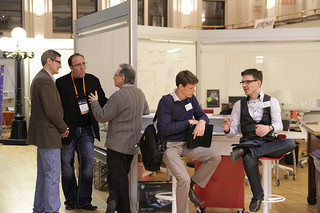
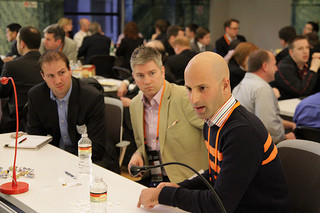
Tammy and I hanging out with Ira Glass! πŸ˜€

Need Dogwood Coffee beans. Stop at Urban Bean Coffee. Get a delicious macchiato. Repeat as needed.

PSA: Don’t let a wonderful Minnesota fall go by without giving HΓΌsker DΓΌ or The Replacements a listen. This is what they were made for!

Person at SuperAmerica gave me free air for my tires when I asked for quarters. That’s nice.

Star Tribune in April 1999 on BigCharts Acquisition

I’ve been cleaning through old files and found the copy of the April 30, 1999 issue of the Star Tribune that I had saved with the article about BigCharts being acquired by CBS MarketWatch. I couldn’t just recycle this before running it through the scanner. Phil sure had some hair back then. πŸ˜€

Star Tribune 1990430 BigCharts
1

Star Tribune 1990430 BigCharts
2

Funny that Phil actually did relocate to San Francisco area, just about 10 years later than this article and had nothing to do with BigCharts or MarketWatch.

Getting ready for Big Green Egg steak time.

Big Green Egg smoke.

Fun to see some new Road Sign Math geeks after #TeamSPS meeting yesterday. πŸ˜€

Presenting at #TeamSPS meeting today! Crew filing in!

Archie Black kicking off #teamsps meeting.

Say Hi to #TeamSPS!

Texpad for iOS ← LaTeX continues to intrigue me.

Productivity Apps for iPad

A bunch of people at work got new iPad’s recently and I figured some may find it useful to know what productivity apps I’ve been using on my iPad. Over the last couple of months the iPad has really become a critical tool for me.

OmniFocus for iPad

I use OmniFocus all day, constantly on my iPhone, iPad and Mac. Everything I need to do gets put in it. It’s a GTD-style task tool. YMMV, but I find it very useful. OmniFocus sits in my home row on all iOS devices.

OmniOutliner 2

If I’m taking notes in a meeting I’m always keeping them in an outline, and a proper outliner is a huge win for that. I also use OmniOutliner 2 to frame out any presentations I’m giving. One thing I particularly like to do is have an outline document for each recurring meeting, and then have a node in the outline for each week where I put my notes. Makes it super easy to see last meeting items.

HipChat

I’ve been using HipChat for team chat. It’s awesome, and the iPad version lets me stay connected all the time. Great tool.

MindNode

If you are at all into mind mapping this is the best one by a mile for the iPad. Great tool for brainstorming a topic.

1Password

I use 1Password to manage 400+ unique passwords for everything I use. Critical to have it on iOS as well.

Skype

An obvious one.

Keynote

I know most folks are PowerPoint junkies. Personally if I can I prefer Keynote. The iOS version is on par with the desktop one. Enjoyable to work on slides on a plane using this.

PCalc

The calculator built-in is no fun at all. This is a serious, heavy hitter calculator that supports RPN for folks that are into that sort of thing. I don’t know if it does the beloved 12C functions for all the finance folks, but this is my preferred calculator by a mile. Nice bonus is you can email the “tape” if you’ve done a set of calculations.

OmniPlan 2

Like Microsoft Project but for the iPad. If you need to do any standalone project planning this is a great tool.

iA Writer

If you are brave enough to write long form text on your iPad, this is my preferred tool for that. Has great keyboard setup that makes writing longer form things much better.

Dropbox

Pretty much required.

Tweetbot

If your gonna Twitter, ditch the Twitter official client for Tweetbot. It’s about a million times better. At some point a new iOS 7 optimized Tweetbot will come out for the iPad, it’s already out for the iPhone, but until then this current version is the best out there.