Blogging

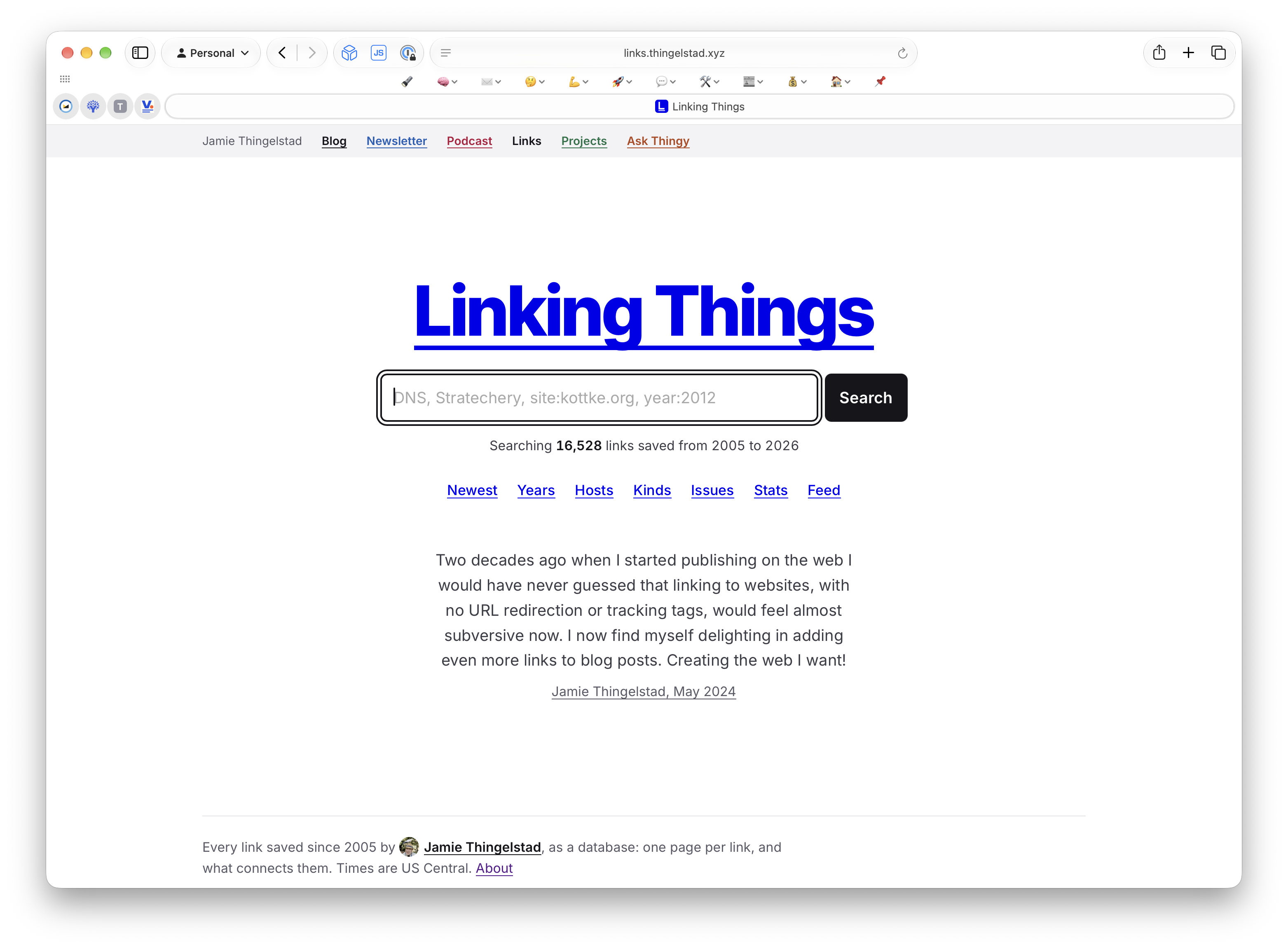
After flipping to my own custom theme for my blog I was able to ship something I’ve wanted for a very long time: all of my personal sites are now connected with a navigation header at the very top of the page. For the first time it is easy to jump from site to site!

Site navigation bar reading Jamie Thingelstad, then links: Blog, Newsletter, Podcast, Links, Projects, Ask Thingy

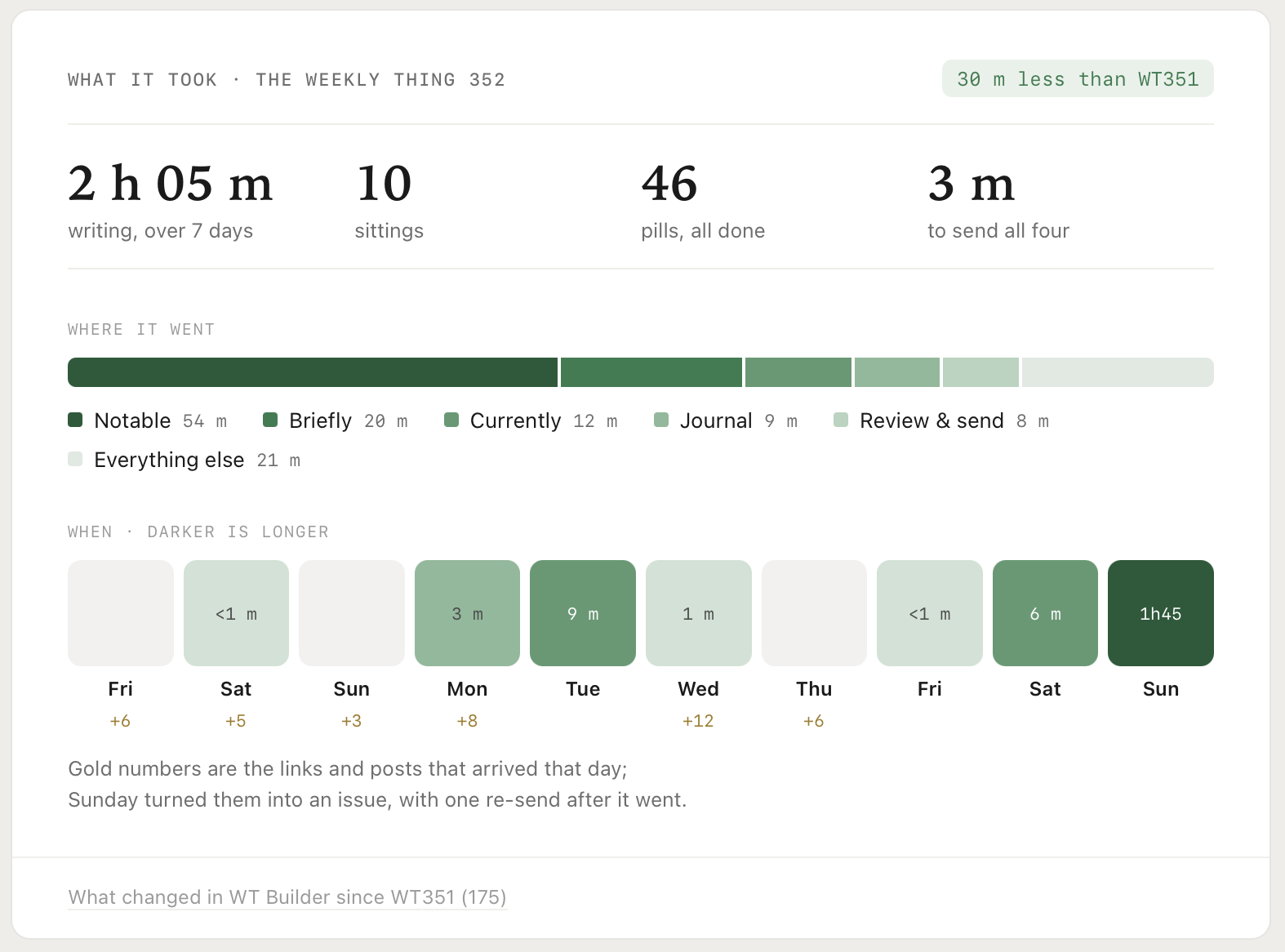
I was inspired by the time analysis I had Claude do last week on what it took to send the Weekly Thing so I decided to build in some additional logging and a better visualization. Now I get a report like this for each issue I send. WT352 showed some benefits from my new automation! 🪄

Stats card for issue 352: 2 h 05 m writing in 10 sittings, Notable took 54 m, and most time fell on the final Sunday.

My newest MCP experiment was to add it in WT Builder and then Claude was able to watch me creating content in near real-time through tool calls and give me immediate feedback on typos and grammar suggestions.

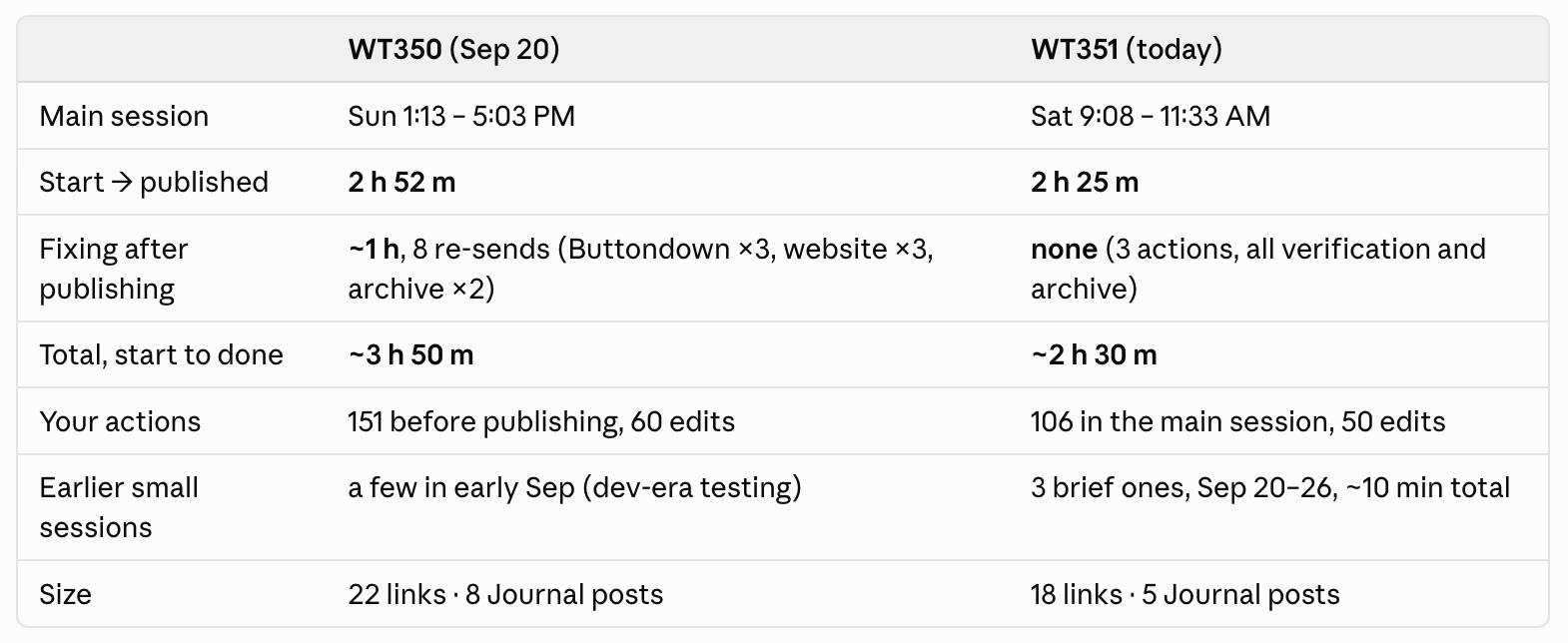
I realized I could probably get a data point I’ve never been able to from WT Builder: how long does it take for me to create the Weekly Thing? Turns out I can now answer that. Additionally, I can now evaluate features on how they improve my workflow and time required.

Table comparing WT350 and WT351: 2 h 52 m vs 2 h 25 m to publish, about 3 h 50 m vs 2 h 30 m total, 22 vs 18 links.