
Fluid and Site-Specific Browsers
 So, you may be wondering what a site-specific browser is. In a nutshell, it
is just a web browser that is packaged with some specific functionality
or extensions to work with a specific website. I think this is going to
be an interesting area over the coming years. If you think about how
both Quicken and Money mesh the web into their applications, that is a
very tiny sliver of a SSB.
So, you may be wondering what a site-specific browser is. In a nutshell, it
is just a web browser that is packaged with some specific functionality
or extensions to work with a specific website. I think this is going to
be an interesting area over the coming years. If you think about how
both Quicken and Money mesh the web into their applications, that is a
very tiny sliver of a SSB.
If you are a Mac user, you can have your very own SSB’s to your hearts content. Fluid is a program for your Mac that creates SSB’s. You launch Fluid and with a couple of commands it creates another application that becomes that SSB. Why do this? Well, there are a number of reasons.
Long Lived Web Applications
If you are a web application user for GMail or Yahoo! Mail you’ve probably had multiple tabs open and had a page on another tab cause the browser to crash. With a poof your mail disappears.
If you are using an SSB the SSB is in another process space and is protected.
Keep Focus
The SSB is locked down to the domain you specify. If anything in that domain links you out to another domain, that will launch out in your default browser.
Integration With Your Desktop
The reasons above are why I created SSB’s for both Basecamp and Backpack. Another benefit? I can now quickly launch them via Quicksilver and they appear in my alt-tab sequence just like they were a real application. There is a good write-up on the 37 Signals blog about how to set this up, with nice graphics to use for icons.

I find this user experience really changes how you work with these web applications.
Flashback: The Day Webfront Died
I’ve been cleaning up some old, old files on my machine and have run into some really fun stuff. I’ll have a few posts with some of this stuff.
Here is a fake homepage for MarketWatch that was created by our editorial team in San Francisco on the day that webfront died. You see, in the ancient days, MarketWatch had one publishing server called webfront, and one day it died. It was never coming back and that sucked. We couldn’t publish anything. We had been working on other solutions and those got an immediate boost that day. In the matter of 24, or 36, or 48 hours – the number seems to get bigger with time – we put in place a whole new system for publishing content.
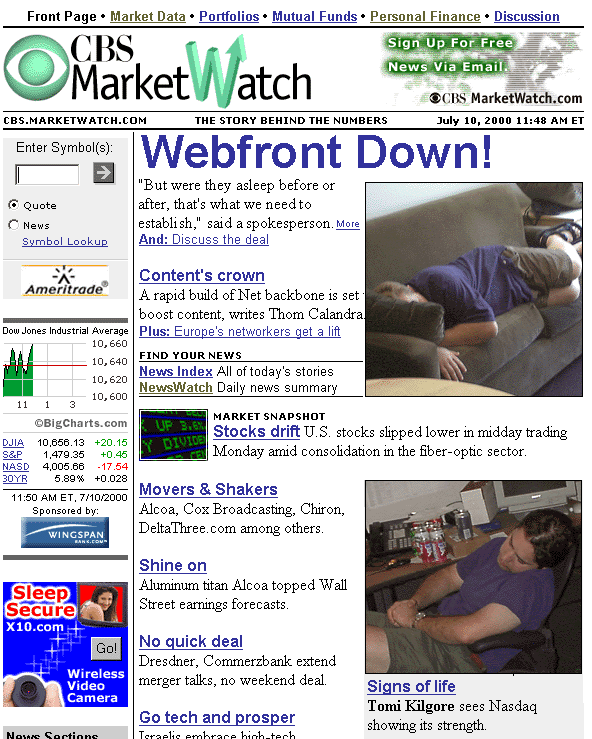
The pictures of me sleeping on my couch and Chris in his chair were taken after an all-night slog to restore publishing. Oh, those were the days.
Beautiful Evidence
I’m the newest member into a small book club that only counts tech geeks in its membership. The first book I read in the club was Edward Tufte’s Beautiful Evidence.
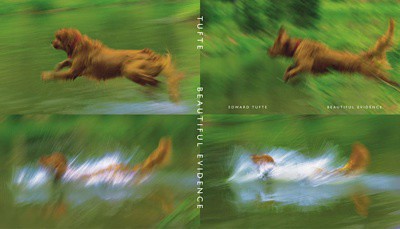
I was really excited to read this since I’ve been to Tufte’s lecture twice before but I will sheepishly admit that I hadn’t read any of his books. They look really good on the book shelf though! 🙂
Beautiful Evidence had some really good moments, but it also had some not-so-good moments. All of the members of the book club had issues with the book. Those that have read his other books felt it wasn’t up to par with the others. I really liked the chapters on labeling and sparklines, but there were several parts that just seemed to ramble.
I’m not going to rag on the book. It wasn’t bad – I guess I just expected something more.
Looking forward to South by Southwest being over and Twitter returning to normal.
Pragmatic Studio: Rails Studio Day 1

I’m in Denver today for the first of three days of Rails Studio. Rails Studio is one of the Pragmatic Studio classes offered by Pragmatic Programmers. This class is being taught by Dave Thomas and Mike Clark. I really enjoyed our first day.
I was a little surprised by how many people there were in the class. I expected about 20 and it’s nearly twice that. I think I counted 37. And, sadly, as all things programming go there were only two women. As the father of a little girl this lack of women in technology disturbs me more and more. The accommodations were as you would expect – decent hotel conference room, setup in rows of tables. I would love it if Pragmatic would spring for a second projector and do a dual display given the number of people in the room. Not necessary, but would be nice.
The first day was split in two halves. We started with a very quick dive through Ruby itself. I was really happy they did this since it answered many “huh” moments I’ve had when looking at Rails examples. The overview also left me with more respect for Ruby, independent of Rails, than I had when I came. The morning finished with a quick run through model-view-controller, MVC. It was also put together well and explained more clearly than I’ve seen before.
The afternoon was spent working on real Ruby on Rails code and managing our way through an example project. There was less time in labs, hands-on coding, than I expected. But that didn’t take away anything. I left the afternoon actually feeling like I understand the flow of control in Rails and can make my way through the stack. Given the surface area of Rails I feel pretty good about that. I also particularly liked that Mike and Dave were giving very fresh, current information on some of the big changes in Rails 2.0.2.
I’m going to start hammering out my own project as well so I can dive a bit deeper. Look for another update tomorrow.
Caffeine for your Mac

Here is a little piece of free software that you don’t realize you need for your Mac, particularly your MacBook laptop. Caffeine is a free utility from Lighthead Software that just sits in your menu bar does one thing very well. If you click it’s coffee cup it fills with coffee and your Mac will not go to sleep, the screen saver will not engage and the screen will not even dim to preserve power.
Sure you could click a bunch of things to do this, but Caffeine makes it painfully easy to engage at will. Why do you want this? Anytime you want to watch a video clip, or read a long blog post, I find it great to click and not worry about my screen dimming away on me. Working on a complicated problem that you need to just stare at and analyze? Click the coffee cup.
I use this way more than I ever would have expected.
Really happy I didn’t waste time and money to go to SxSW for soap operas and parties.
Fugaise Restaurant

Tammy and I just got back from a fabulous evening out. We were invited to join our friends across the street, and a number of other folks, at Fugaise to celebrate his 40th birthday. It was a wonderful evening and we met some cool new people. However, it was also my first trip to this great Minneapolis restaurant.
If you want to cut to the chase, just stop reading and go there. The food was impeccable. We had a large group so the menus was set with options. I had a great salad with a variety of flavors that just kept you guessing. The main dish was one of the best beef tenderloins I’ve ever had. The meat was fabulous and prepared perfect. The mashed potatoes had this amazing consistency. It was all followed with a Toffee Bread Pudding with Ice Cream that was stunning with every bite. After the great dinner Chef Don Saunders came out and said hi. A very nice touch.
The restaurant was more relaxed than I expected. I’m not sure what I was expecting, but I figured it would be a bit more stuffy. Not at all, jeans welcome, but no t-shirt. The layout of the dining room was cool and the way you enter makes it sort of a reveal.
I highly recommend Fugaise for a special night out, or just any night you want some exceptional food.
Just pushed all the clocks ahead an hour. This early DST stuff is still odd.
At a dinner with at least 10 doctors. Tempted to stab myself with a knife to see some action.
One of the tweets highlighted in my MarketWatch Farewell Video.